01
Motorized Lifts
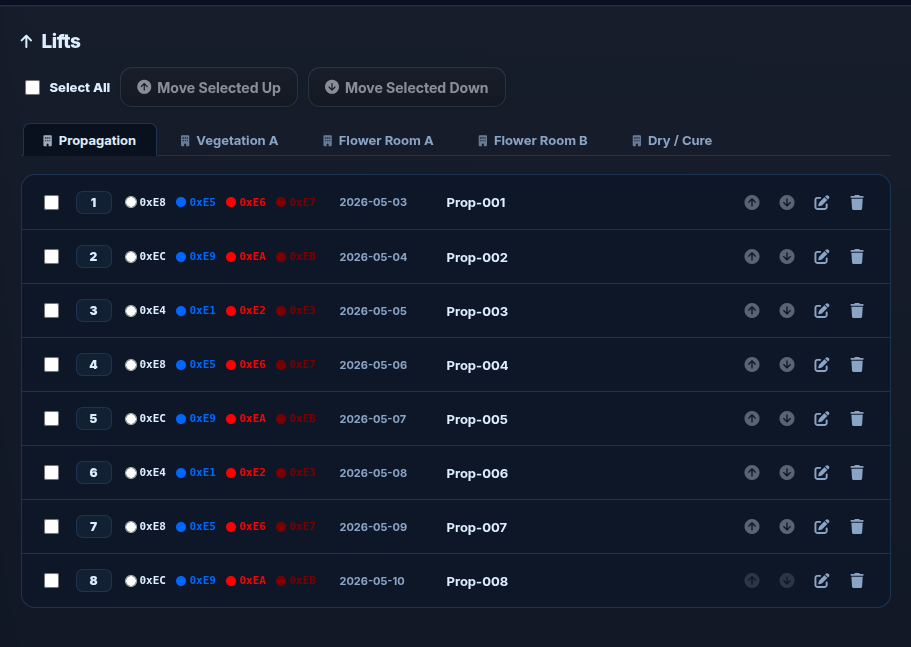
Raise or lower individual grow tables, select groups for bulk movement, and maintain per-table hardware addressing from the operator UI.
DM556RS · RS-485Monitor conditions, control equipment, automate schedules, and see problems before they become bigger problems — from one operator interface.
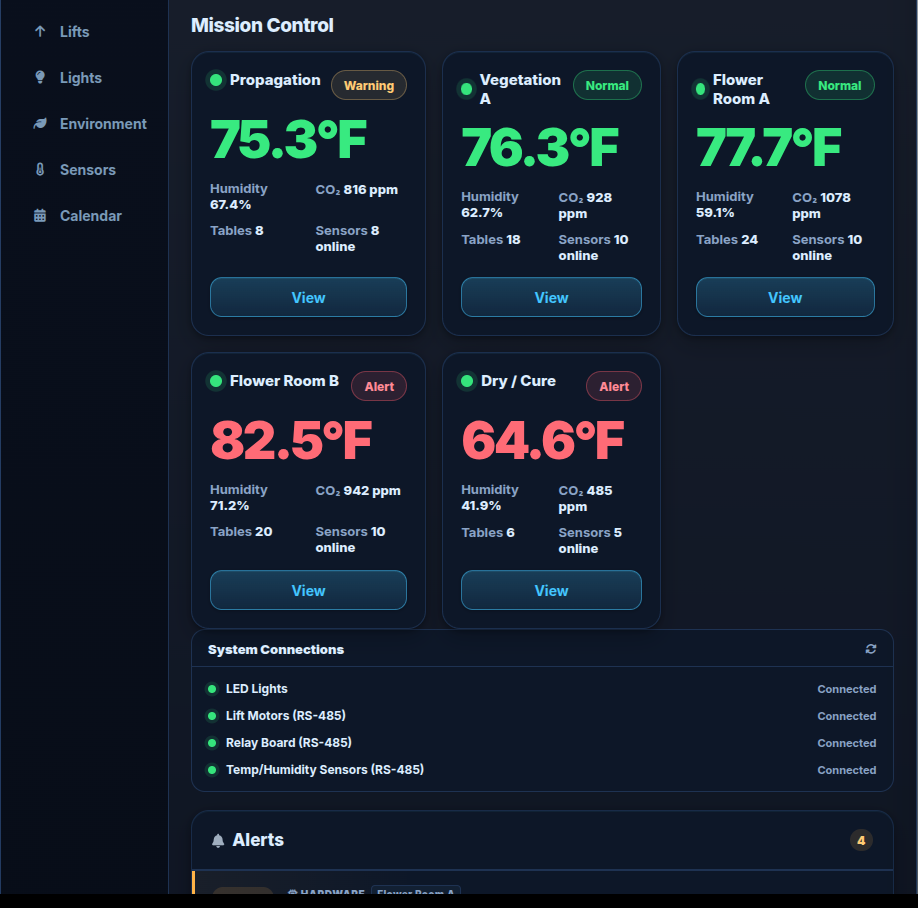
Room health, environmental conditions, hardware connectivity, and active alerts come together on one operator landing screen.
Compare temperature, humidity, CO₂, table counts, and sensor health across the facility without changing systems.
See whether lighting, lift, relay, and sensor networks are communicating before an operator discovers a problem the hard way.
Threshold, hardware, and configuration issues surface in a shared alert feed instead of hiding inside individual devices.
Lift Logic brings the equipment and environmental systems that drive daily grow-room operation into one consistent workflow.
Raise or lower individual grow tables, select groups for bulk movement, and maintain per-table hardware addressing from the operator UI.
DM556RS · RS-485Control white, blue, far-red, and deep-red channels in amperage, automate photoperiods, and read back PSU telemetry and health.
4 Channels · TelemetryRun relay-controlled devices manually, automatically, on time windows, or with repeating on/off duty cycles.
ON · OFF · AUTOMonitor temperature, humidity, CO₂, and soil moisture with configurable thresholds, sensor-health status, and alerting.
Continuous PollingSchedules keep repetitive facility routines moving while operators retain manual control when conditions or priorities change.
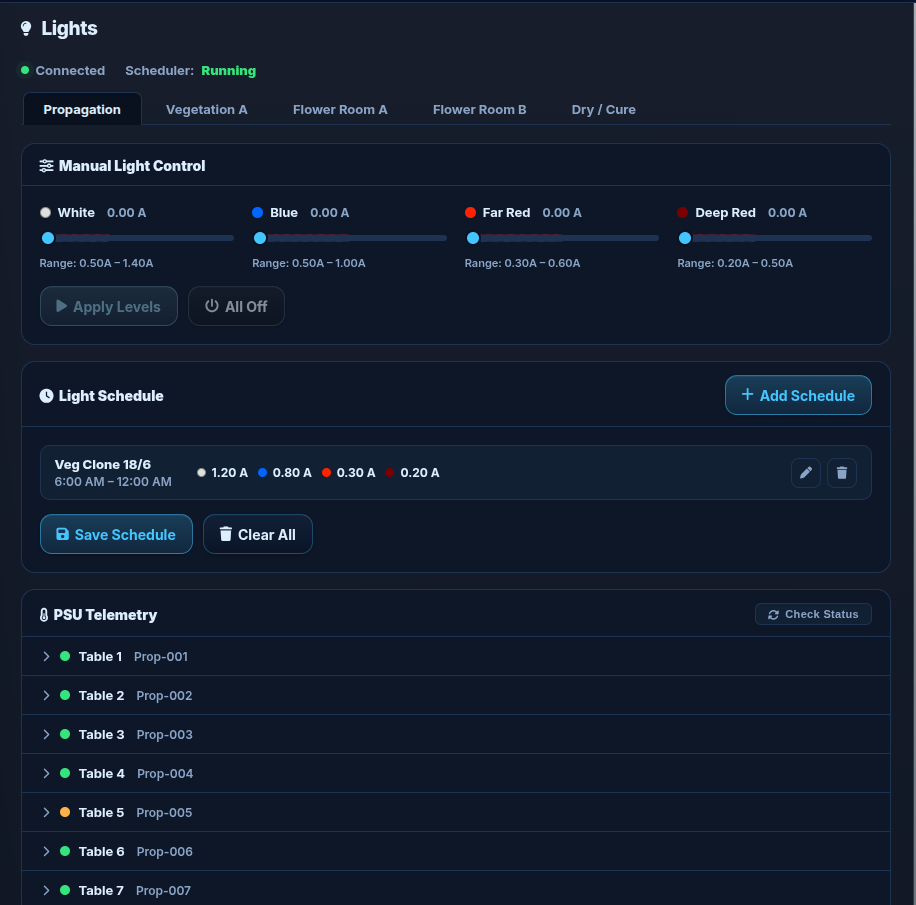
Set channel amperage, schedule daily photoperiods, and use PSU telemetry to see actual measured hardware behavior — not just the requested setpoint.
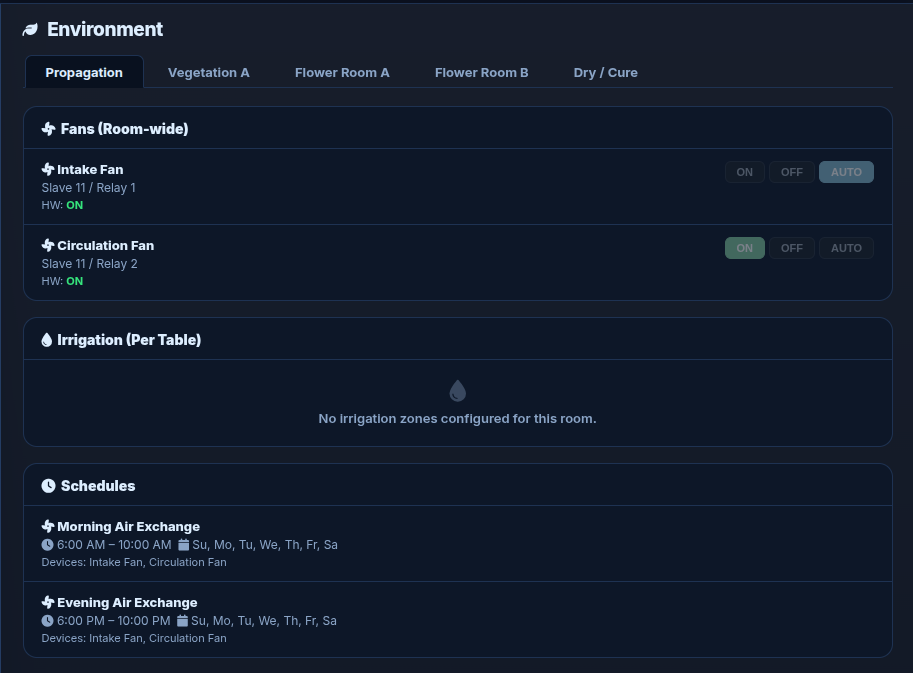
Fans and irrigation can be controlled directly or assigned to recurring schedules, including duty-cycle patterns inside an operating window.
Lift Logic pairs environmental readings with device health and room thresholds so operators can distinguish a normal reading from a sensor or condition that needs attention.
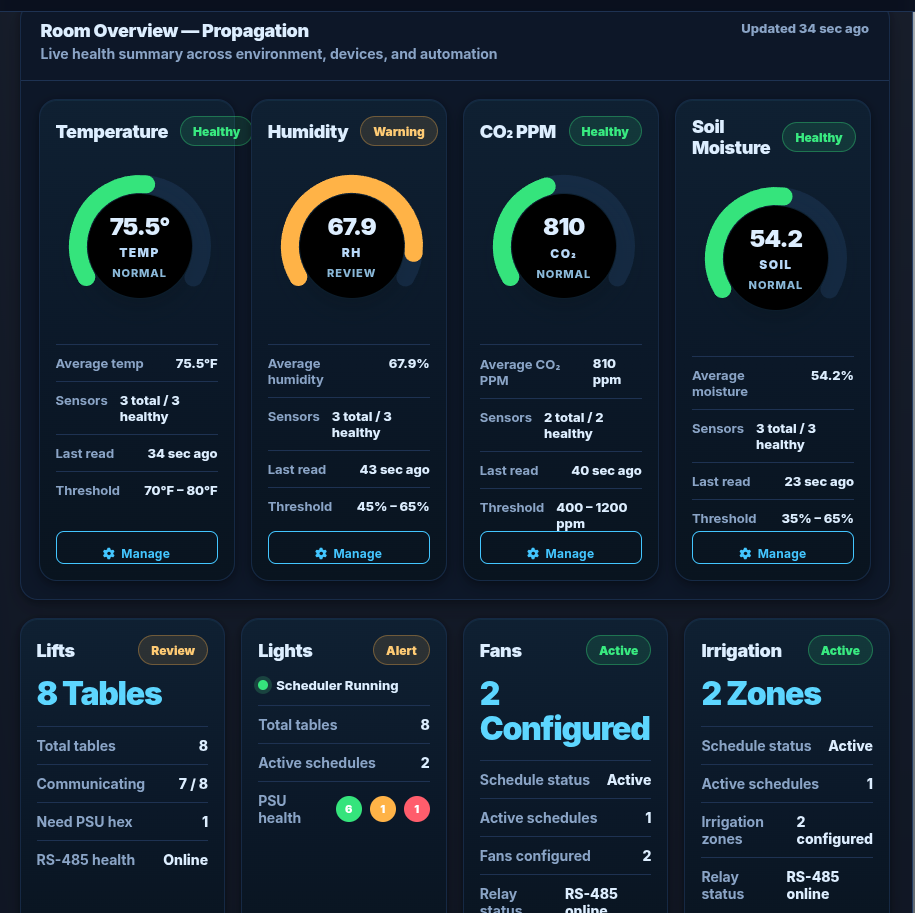
Lift Logic evaluates more than environmental thresholds. It also surfaces communication and configuration problems that can interrupt operation.
A commercial edge controller needs a recovery path. Lift Logic separates current operating data from the known-good system image and keeps the controller manageable remotely.
Nightly compressed MySQL backups are pushed from the grow-center controller to the VPS, with success/failure logging and a tested restore process.
Recovery and golden-image procedures provide a practical way to replace failed controller storage or deploy a replacement Raspberry Pi without rebuilding the software stack from scratch.
Gunicorn runs the Flask application under systemd so the control interface starts after a reboot and is automatically restarted if the application process exits.
Private Tailscale access, system logs, hardware health indicators, and off-site backups allow many incidents to be diagnosed before anyone travels to the facility.
The edge controller stays at the grow center, close to the equipment. Remote operators reach it through HTTPS and a private encrypted network — without exposing the Raspberry Pi directly to the public internet.
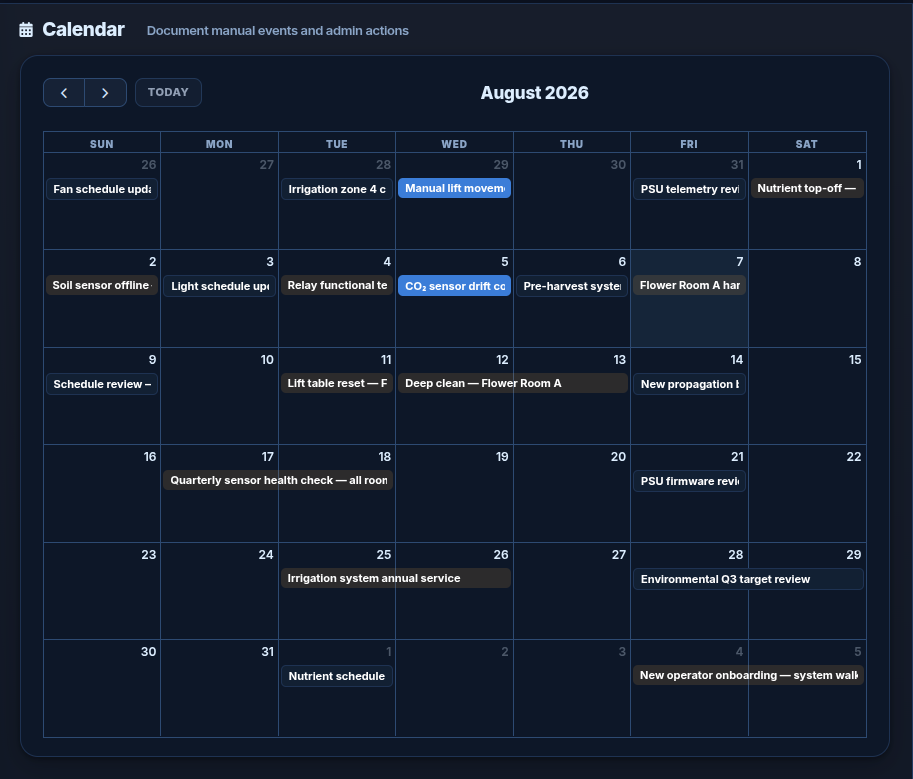
Walk through a populated simulated grow facility with multiple rooms, tables, lighting, environmental controls, sensors, schedules, alerts, and calendar activity.
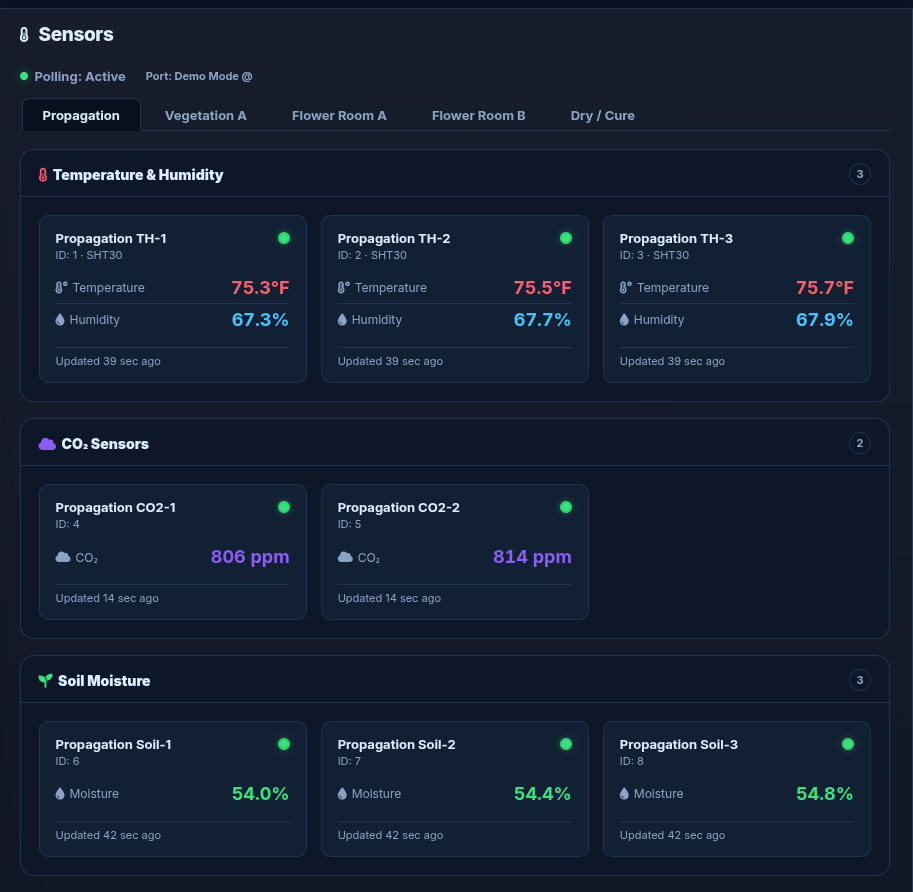
Real screens from the Lift Logic operator interface and simulated demo environment.
The interactive demo is available whenever you want to explore on your own. If you would rather see the system in context, request a guided walkthrough and we can focus on the equipment, workflows, and deployment questions that matter to your facility.